
Aug 21
Paragraph spacing
Please change paragraph spacing to single line instead of double line.
In Progress
You can see here two different emails that were sent from two different clients. The top one was sent from Canary Mail and the bottom one was sent from Gmail browser. You can see that there are two blank lines between each text line when there should be one. Also you can see spacing issues in the signature, these should be single spaces between each line.
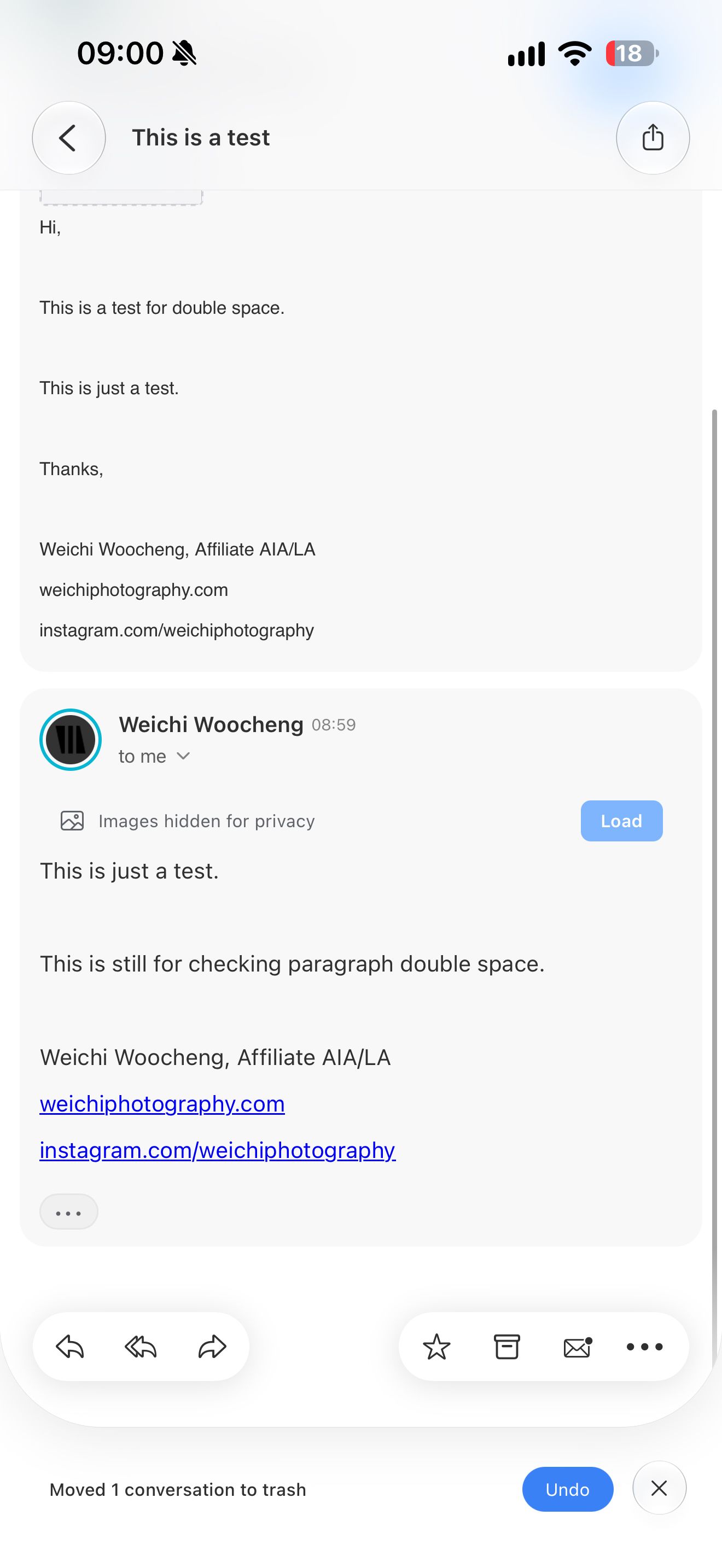
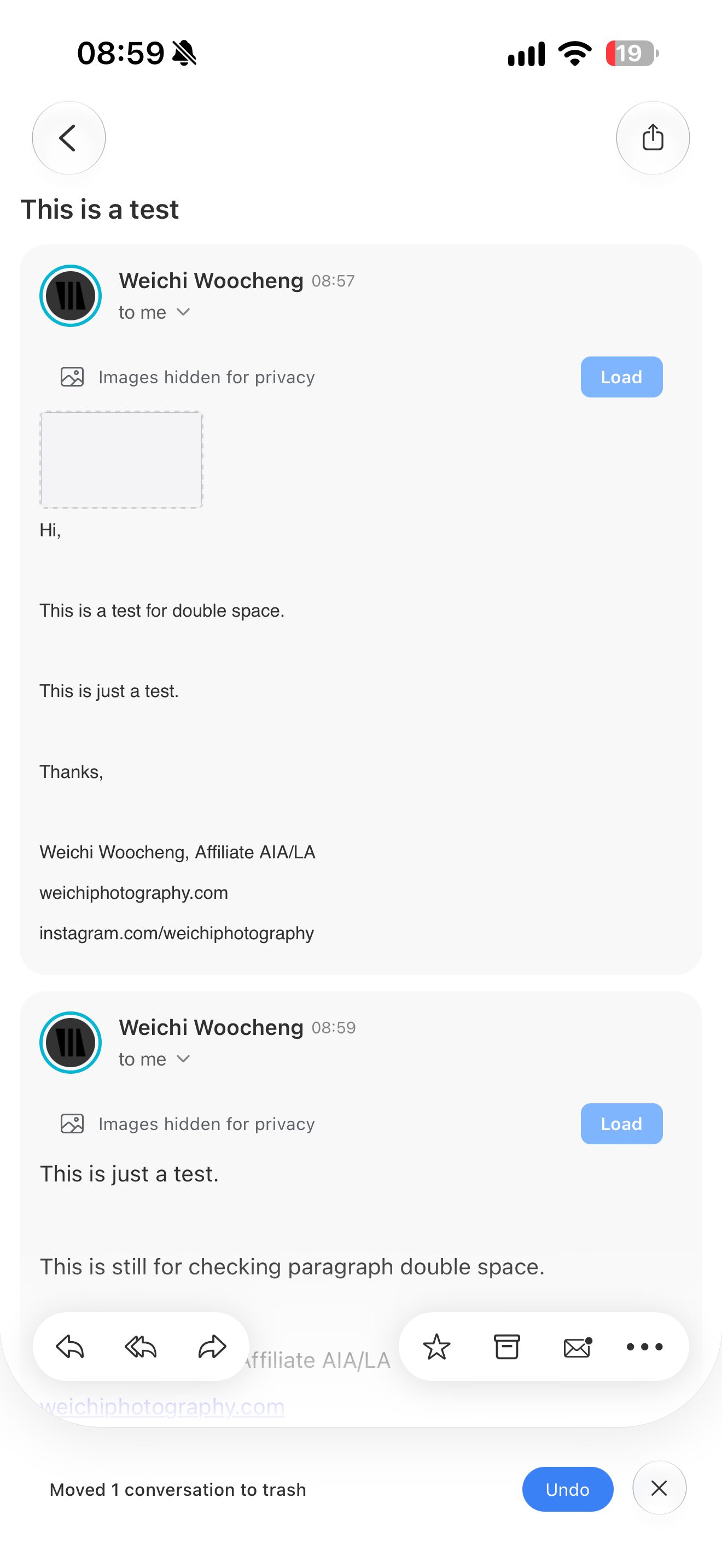
Hi Weichi, We’ve made some improvements to fix the spacing issue you mentioned. Could you please try the latest version and let us know if the spacing looks better now?
It is still happening. Mac version displays the correct formatting.
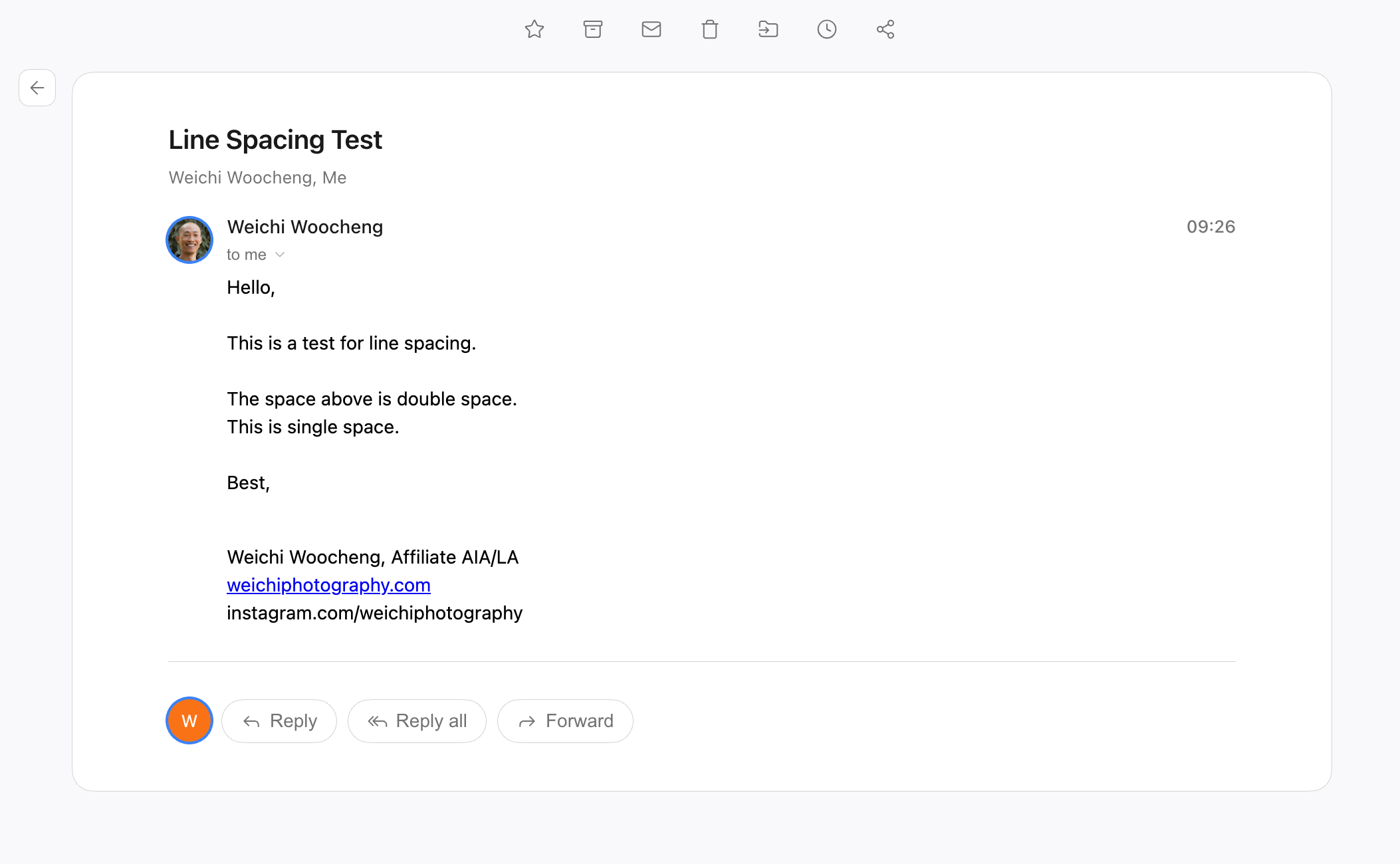
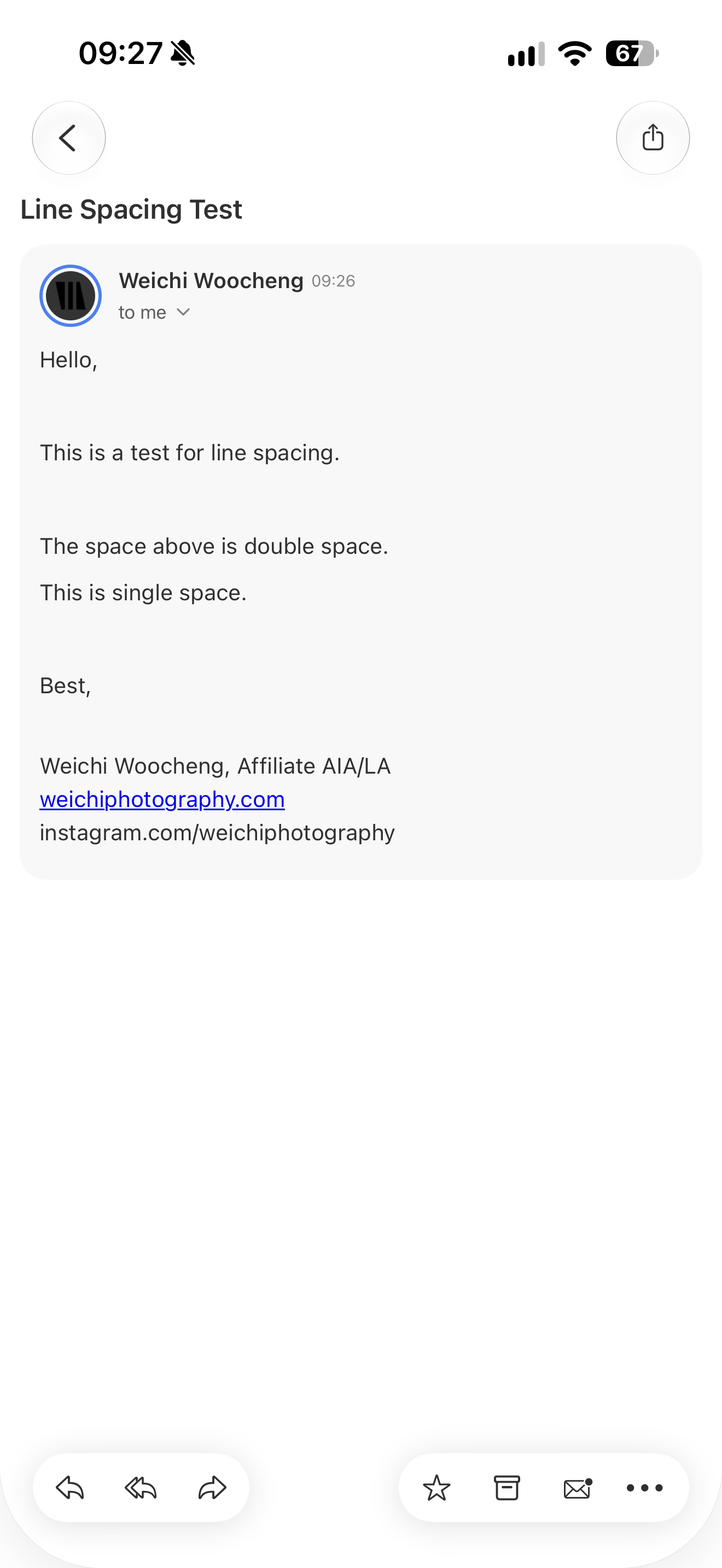
In addition, I found another issue during this testing. On both Mac and iOS versions, the app is not respecting line spacing at all. I tried entering multiple lines and it’s only showing as triple space at most.
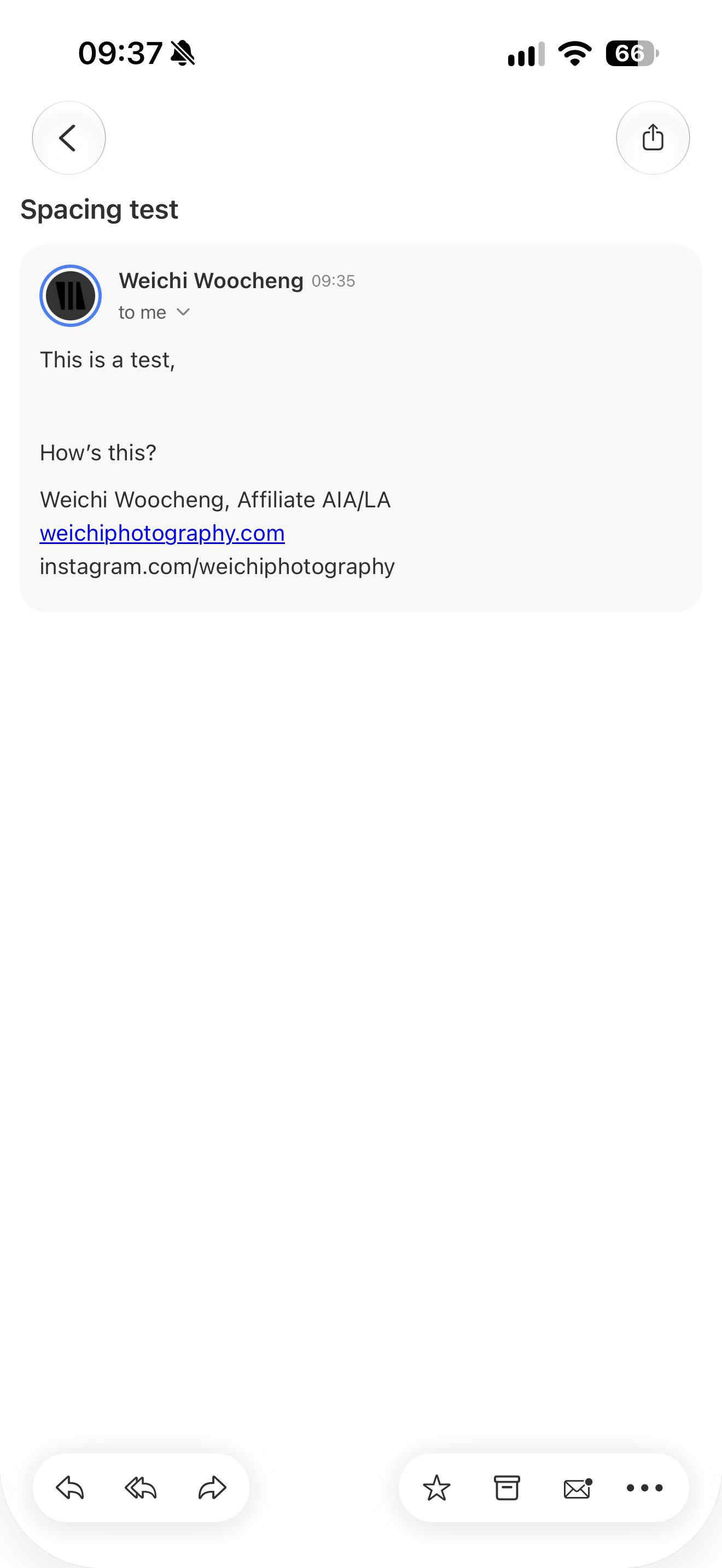
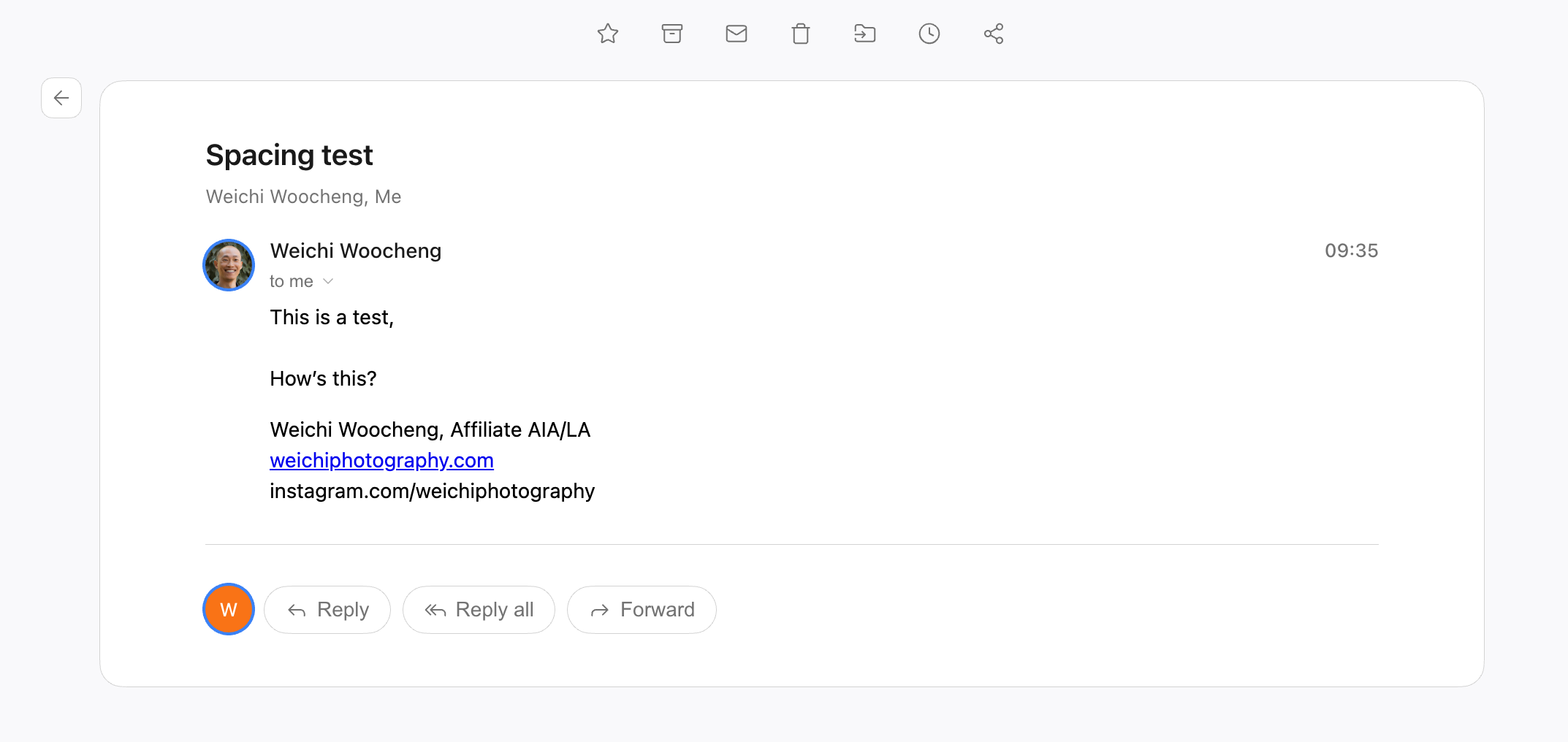
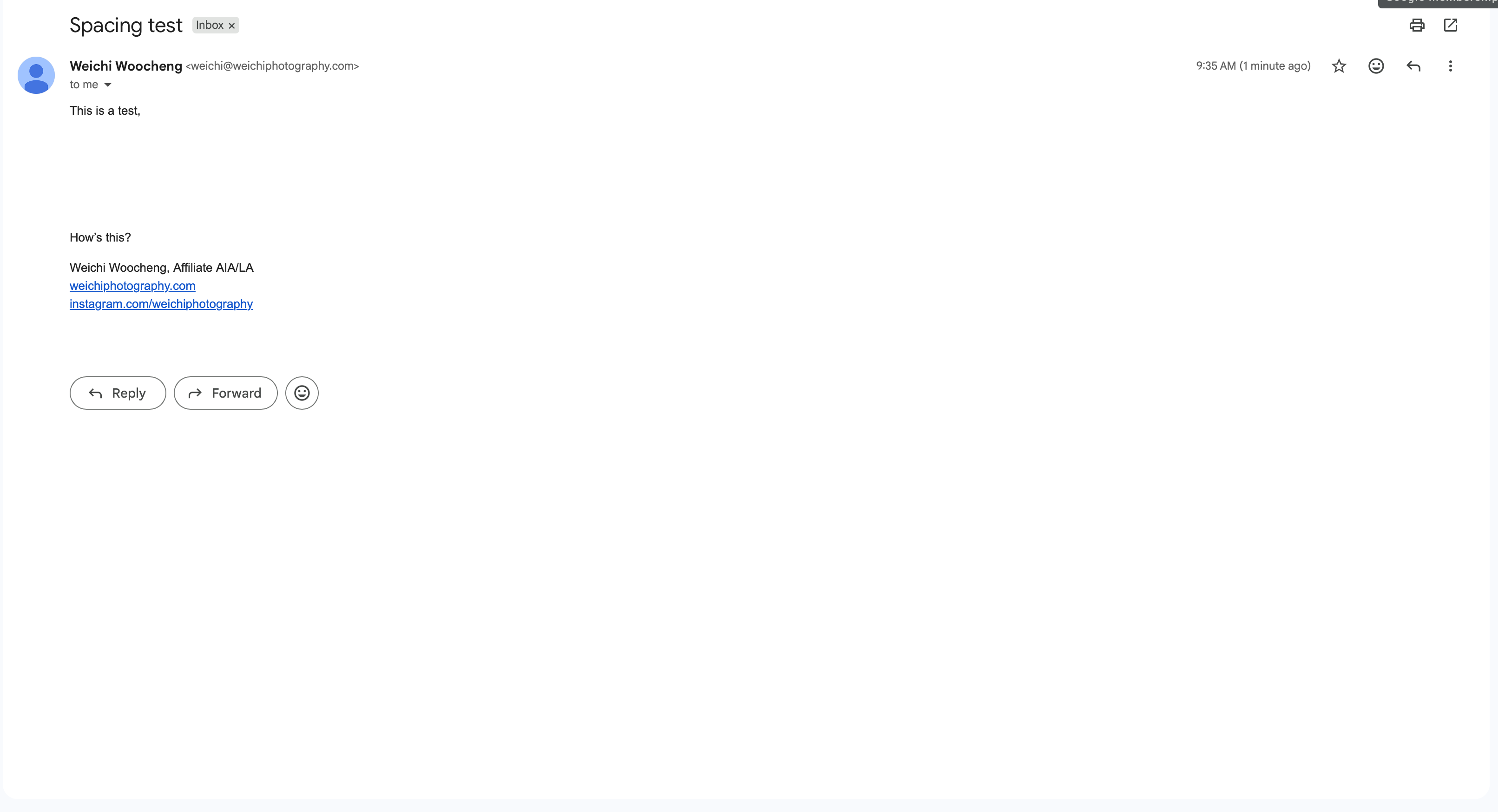
I just received an app update on iOS so I thought I would give it another try, and it’s still having an issue properly displaying line spaces. Gmail in browser is how it should look.
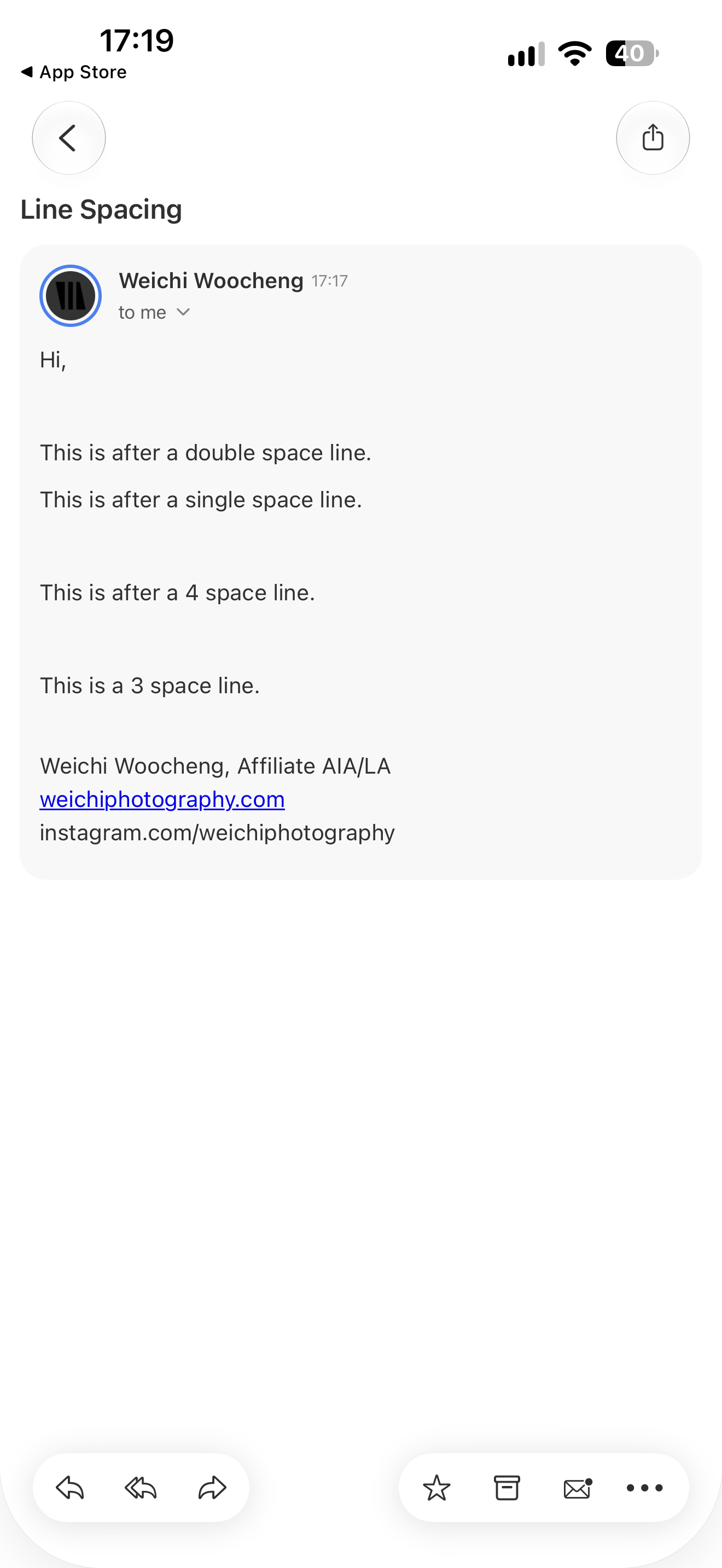
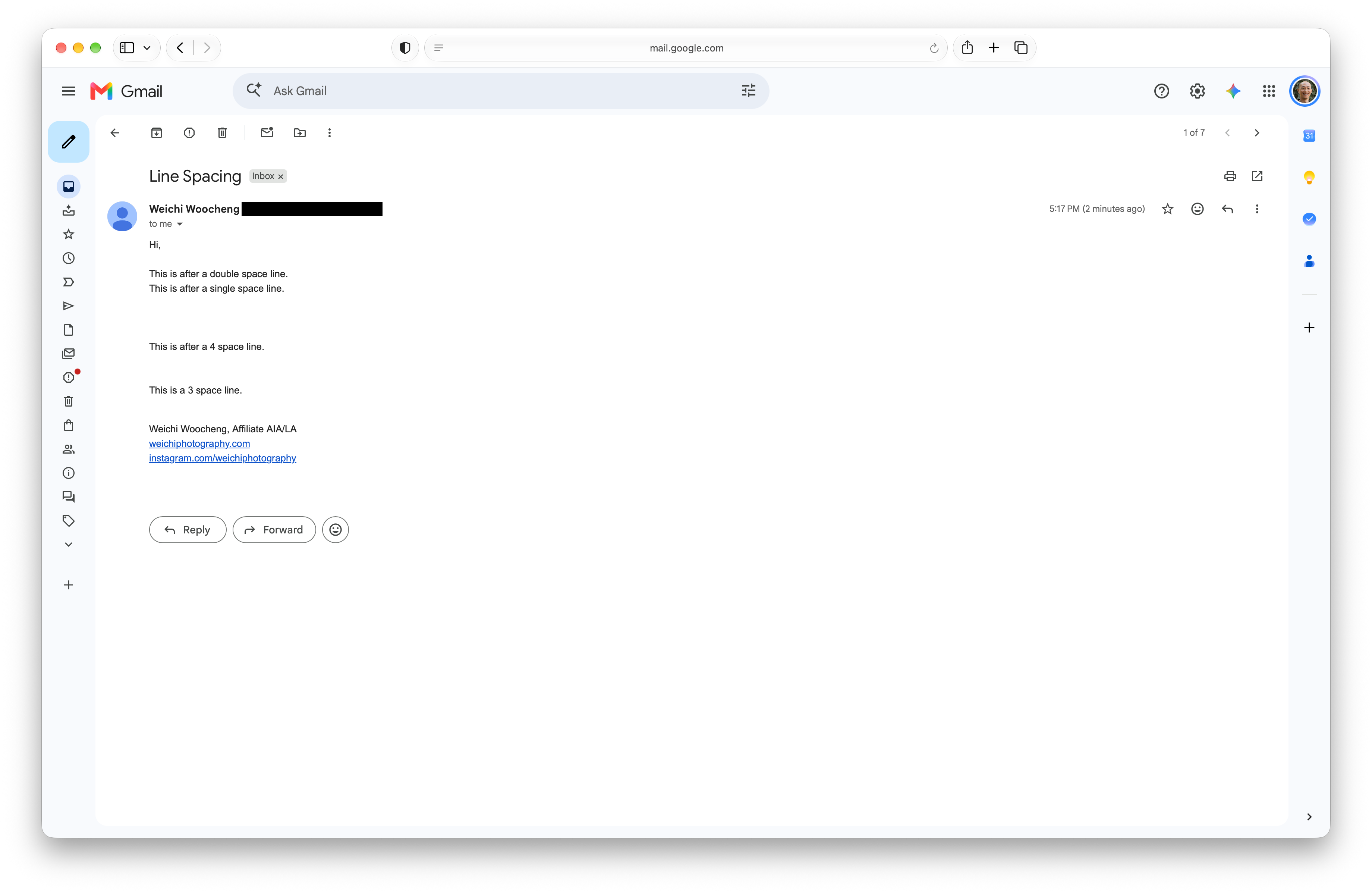
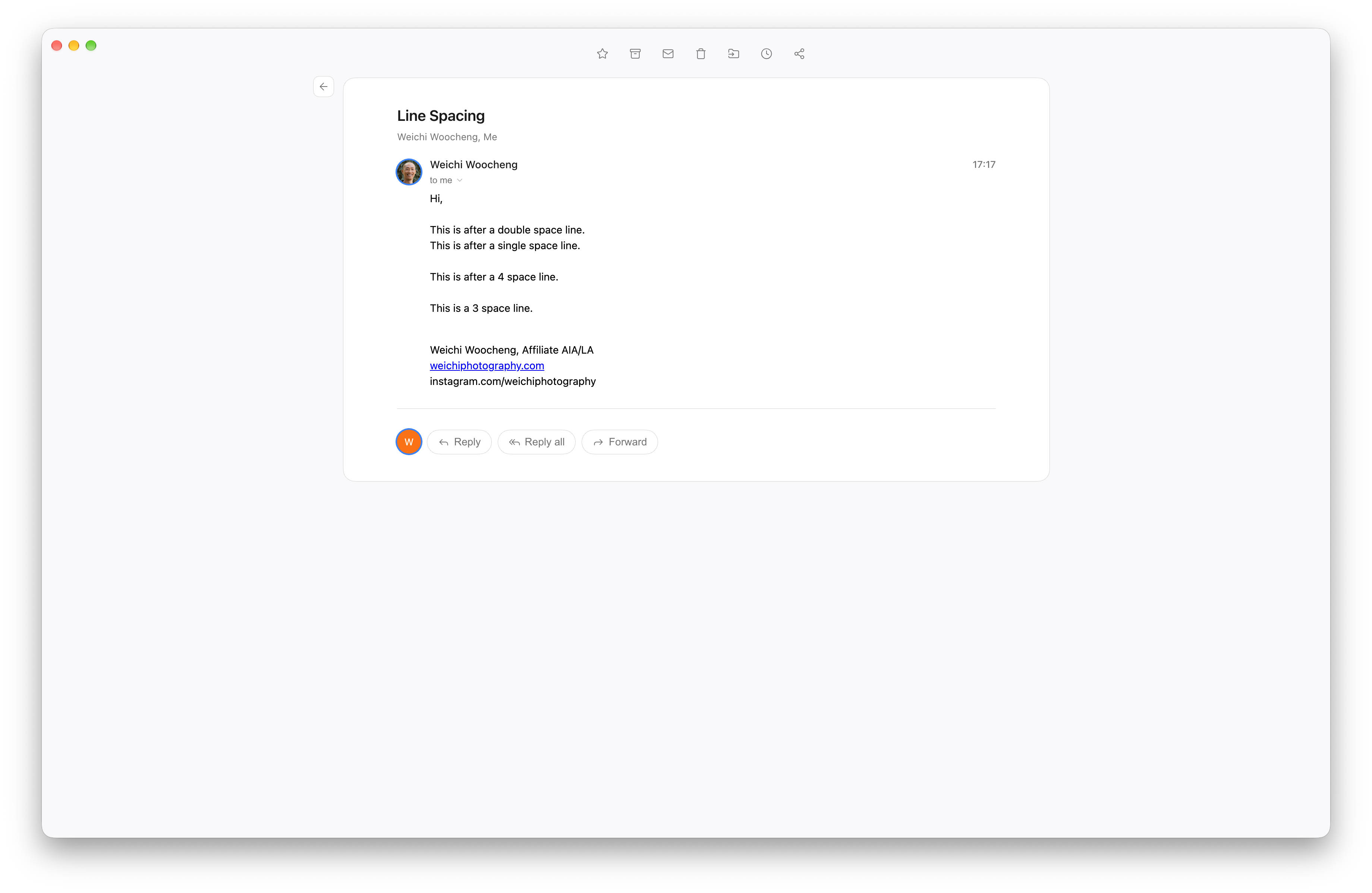
Hi Weichi, Thank you so much for the detailed feedback and screenshots! They’re really helpful for us. We’re continuing to work on the spacing and line-break issues and will keep you updated once we have a fix. Please continue sharing any feedback you notice - it really helps us improve Newton! 😊
Could you please provide a little more detail about the paragraph spacing issue you’re experiencing? It would help us understand exactly what you’re seeing. If possible, please also attach a screenshot showing the issue.